P3
Ideate, Lo-Fi Prototype, and Usability Testing
This project milestone involved brainstorming design ideas for our app, sketching designs, and choosing the most promising design to storyboard and prototype. After developing the prototype, we conducted usability interviews to reveal the strengths and weaknesses of our design. The full documentation of the brainstorming, design, and testing process and resulting insights can be read here. The information provided below serves as a brief overview of this milestone.
Brainstorming
Here is a selection of some of the sketches we developed during the brainstorming process!
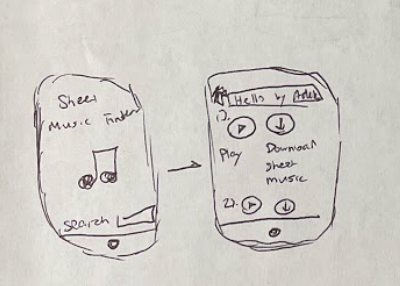


After brainstorming individually, we wrote all of our ideas on a whiteboard. This enabled us to find the common themes from each of our sketches. Additionally, being able to clearly see the ideas written out on the whiteboard made it easier to construct an affinity map.
Affinity Diagram
Social Media
Community Resources
Practice Schedule
Game
Learning Resources
-
Post videos of yourself playing and get feedback from more experienced players
-
Comment on/interact with other musicians’ posts
-
Find/join/make groups with other musicians with similar skills/interests
-
Chat with other users
-
See what songs your friends are learning
-
“Facetime” feature with friends to practice together
-
Schedule “hangouts” in person to connect with your group outside of the app
-
Music competition finder
-
Information about instrument rentals
-
Access to a shared drive of sheet music/ posts about sheet music donations within the community
-
Calendar that tracks when you practice and for how long
-
Set a practice goal when you open the app and a progress bar keeps track of how much time has elapsed
-
Receive motivational messages while practicing
-
Sync your practice schedule with friends to keep each other accountable
-
Complete “missions” to get badges and then receive a reward for earning enough badges
-
Missions could include attending local performances, performing in recitals, posting songs, etc.
-
Find a teacher feature based on location and practice goals
-
Educational videos specifically filtered from YouTube to target the user based on their level of experience, the instrument they play, and they favorite genres
-
Rate videos after watching them as to how educational they were
After drawing new sketches of our three most promising ideas (social media, community resources, and practice schedule), we decided to devote our project towards a social media app for musicians. We then developed storyboards for an easy task (navigating through the social media feed), a medium task (forming a new group of musicians), and a complex task (scheduling a time to practice with a group).
Easy Task

Medium Task

Complex Task

After developing our storyboards, they were compiled into our lo-fi prototype (linked above). We then conducted our usability testing. The details of the testing procedure and the results can be found in our report (also linked above).